

From a prompt to your first dataset
The quickest way to get value out of DataMaker is to ask the agent. You don’t need to build a template or wire up an export first. Describe what you want in plain English and the agent does the work, showing you every step it takes.
This takes about two minutes from an empty workspace.
1. Open a chat
From the project sidebar, click Chat. You’ll land on the composer with a greeting and a few quick actions.
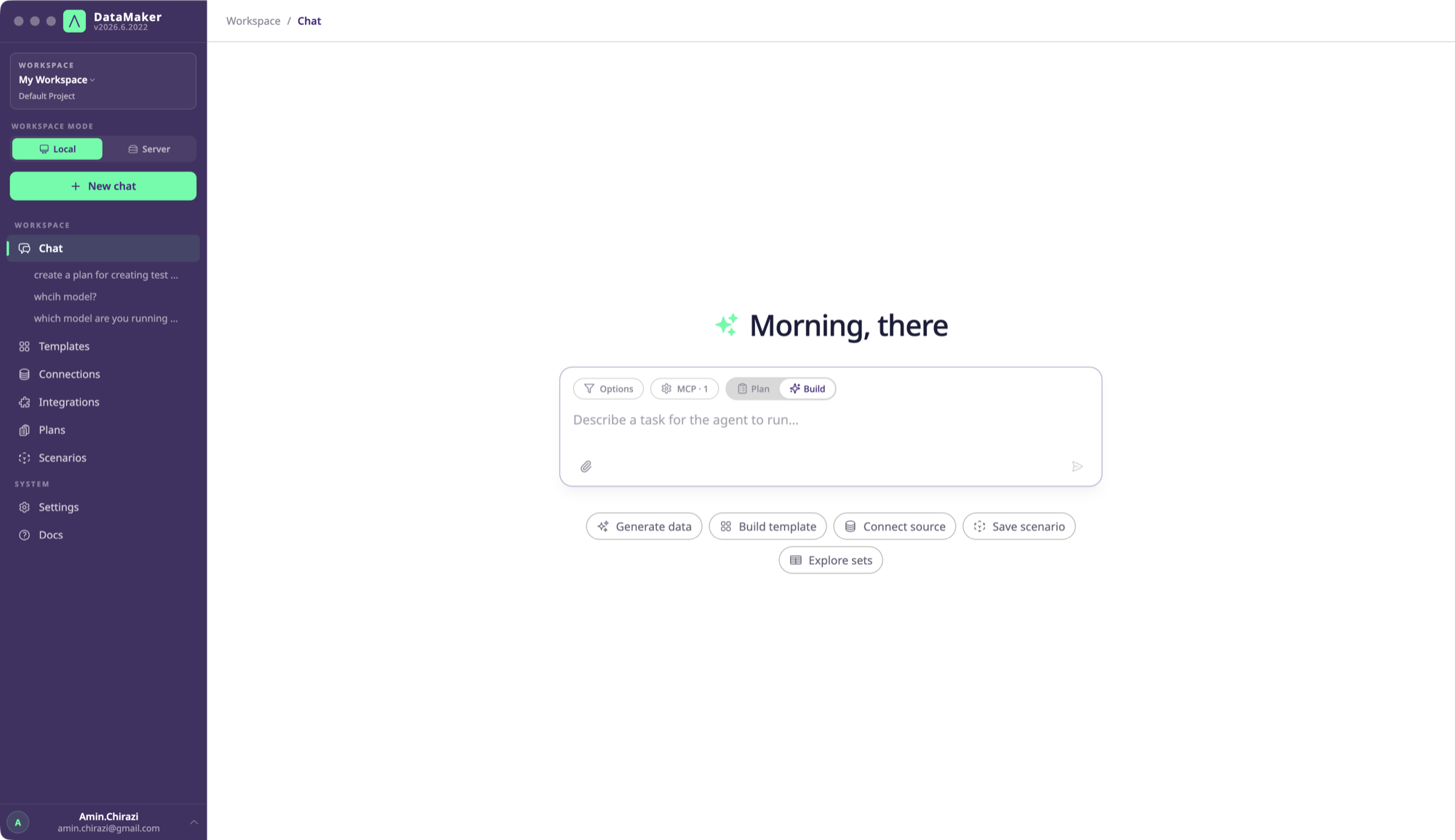
There’s a single mode: the agent. It can plan, call tools in sequence, write and run Python, and seed your targets. There’s no “chat vs agent” toggle to pick. Just type and send.
2. Describe what you want
Type a request and send it. Good first prompts:
Generate 100 realistic German customers with name, email, IBAN, and a USt-ID that passes checksum.Fetch 3 cat facts from catfact.ninja and turn them into a template, then make a scenario that generates 50 rows.List the templates in this project.
Be specific about how many, what fields, and where it should go if you want it delivered somewhere. The agent infers the rest.
3. Watch it work
As the agent runs, the message streams its steps live, a transcript of what it’s doing:
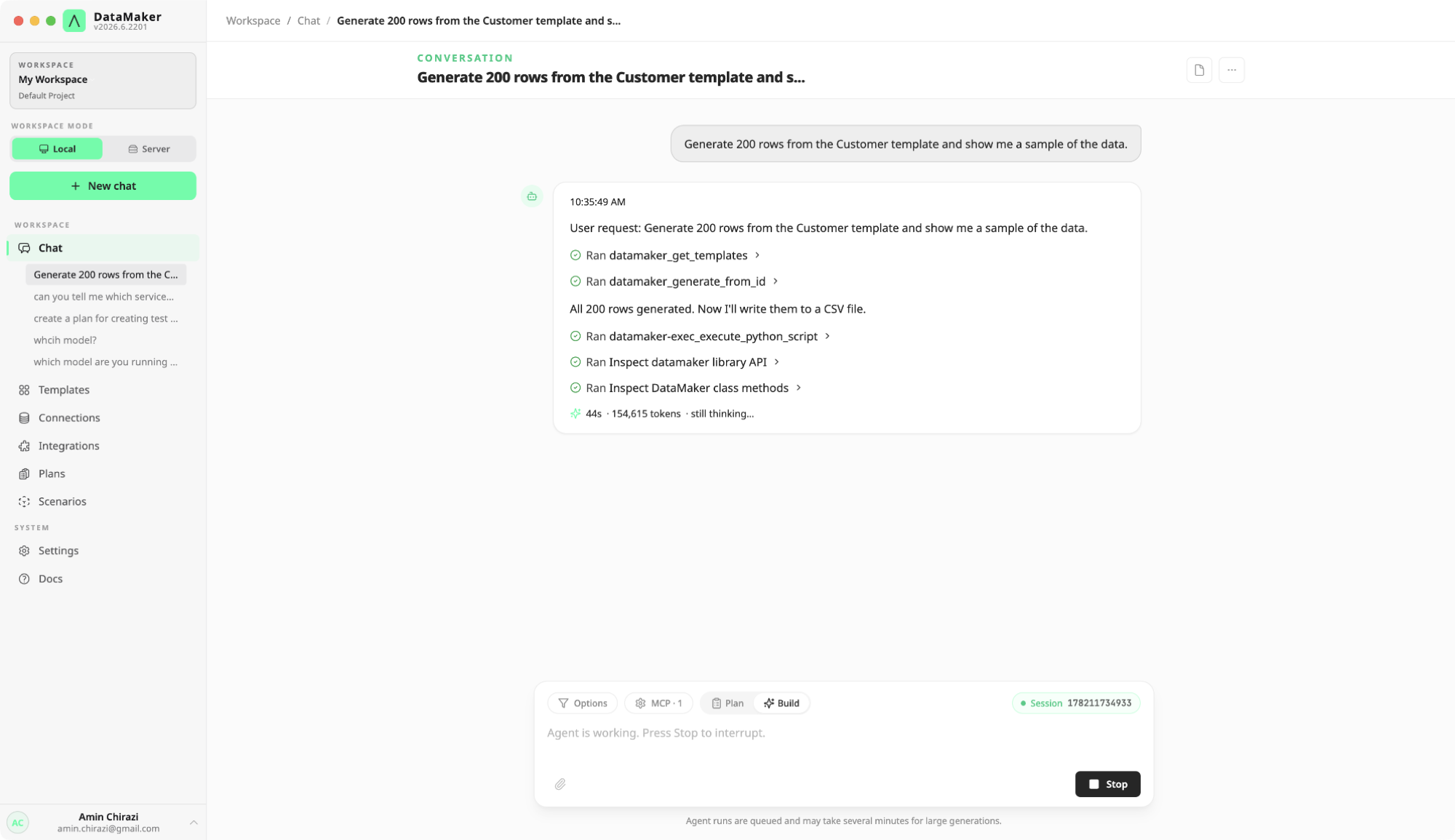
- Narration, short lines like “Fetching 3 cat facts…”, “Now creating the template…”
- Tool steps, collapsible rows such as
Ran Create templateorRan Generate data; click one to see the inputs. - The answer, a past-tense summary of what was built, with the IDs of any templates, scenarios, or datasets it created.
A footer shows the run time and token usage. Nothing touches a real system without a connection you’ve configured, and every action is logged.
4. Keep what it built
When a run finishes, you can Save as scenario to package the steps into a reusable Python run you can trigger again later (from the UI, the REST API, or CI). Templates and connections the agent created stay in the project’s Templates and Connections views.
Where to go next
- Prefer to build by hand, or want to understand what the agent is manipulating? See Your first template and Your first export.
- Learn the handful of objects the agent works with in Core concepts.
- Want the agent inside Claude Code, Cursor, or Copilot instead of the web app? Wire up the MCP server.