

Templates
A template is the unit of test-data generation in DataMaker. You declare a list of fields, each with a type and options, and DataMaker produces rows that match.
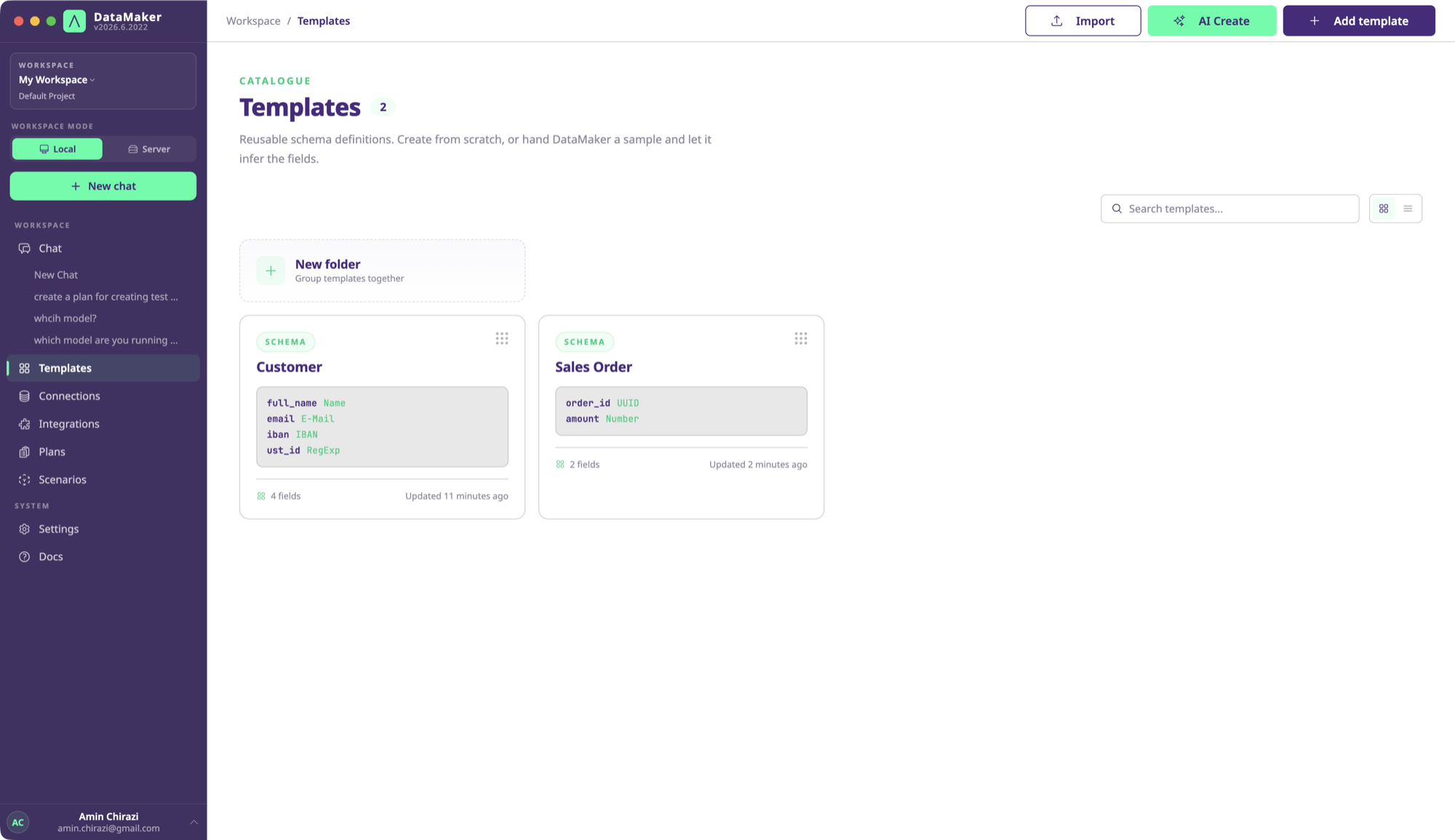
Templates are:
- Versioned: every save is a revision; you can roll back.
- Reusable: call the same template from the UI, the REST API, the Python SDK, an MCP tool, or a chat prompt. The output is identical.
- Composable: a field’s type can be “another template”, so you can build complex nested JSON without copy-pasting field lists.
- Locale-aware: types like
First Name,Address,IBAN, andPhonehonour a locale setting (de_DE,fr_FR,en_US, …) and produce realistic values. - Distribution-aware: fields can be uniformly random, weighted, gaussian, or follow any custom Python.
Anatomy of a template
{ "id": "tmpl_abc123", "name": "Customer", "fields": [ { "name": "first_name", "type": "first_name", "options": { "locale": "de_DE" } }, { "name": "email", "type": "email" }, { "name": "iban", "type": "iban", "options": { "country": "DE" } }, { "name": "balance", "type": "currency", "options": { "min": 0, "max": 10000 } } ], "version": 7, "createdAt": "2026-04-12T10:31:00Z"}Every field has a name (used as the JSON key / column name on export) and a type.
options is type-specific.
Working with templates
Most teams build templates in the UI, with drag-handled field rows, type pickers, options panels, and live preview. See your first template.
You can also create or modify templates programmatically:
- Via the REST API, useful for bootstrapping templates from an OpenAPI spec or a database schema.
- Via the chat agent:
"create a template for SAP Business Partner"reads the OData$metadata, picks types, and saves the template. - Via scenarios, programmatically constructing field lists in Python.
Sub-pages
- Field types: the 50+ built-in types and what they generate.
- Distributions: uniform, weighted, gaussian, custom.
- Nested objects: how to compose templates.
- Sensitive fields & masking: PII safety at the template level.
- Custom Python per field: when the built-ins aren’t enough.