

Logs & retries
Scenario runs produce a live log you watch as the run executes, and can replay from the run history.
Live log
The Scenarios view shows a console panel below the editor while a run is in progress. Output
appears as it’s emitted: every print() call and any uncaught exception traceback.
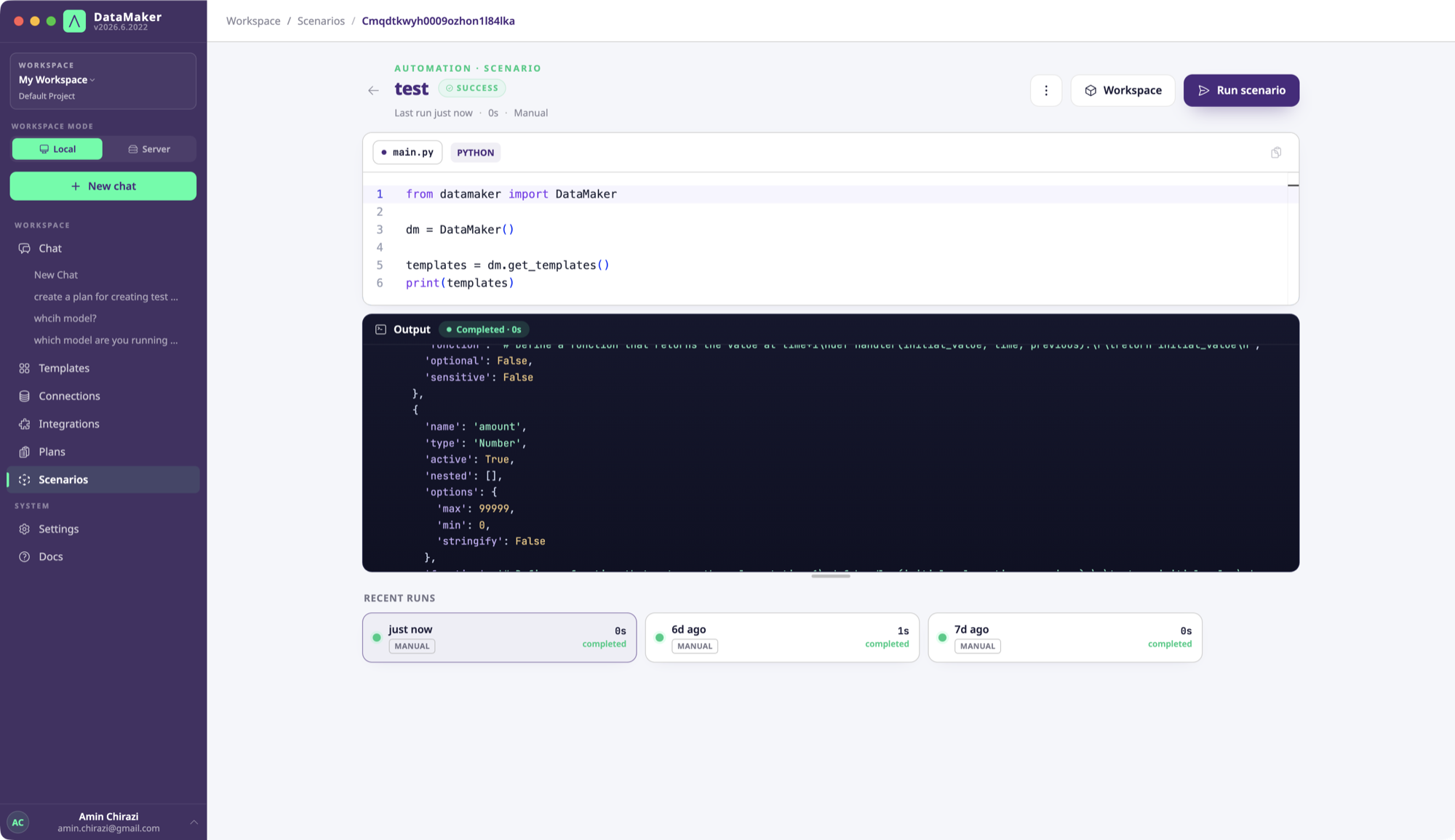
The same stream surfaces in the chat panel when the run was started from a chat.
Logging
print() is the logging mechanism. Output is captured and streamed live. There’s no
dm.log; for structured logs, print JSON yourself and parse it downstream:
import jsonprint(json.dumps({"event": "seeded", "rows": len(rows), "table": table}))Log each major step so a failed run is easy to diagnose from the log alone.
Sensitive values
Be deliberate about what you print. If a row carries values from a sensitive field, avoid printing the raw value. Log a count or a redacted summary instead:
print(f"generated {len(rows)} rows ({sum('tax_id' in r for r in rows)} with a tax id)")Retries
There’s no built-in dm.retry. Wrap a retryable step in plain Python, or use tenacity
(add it with a # requirements: tenacity comment at the top of the script):
import time
def with_retries(fn, attempts=3):    for i in range(attempts):        try:            return fn()        except Exception as e:            if i == attempts - 1:                raise            print(f"attempt {i + 1} failed ({e}); retrying…")            time.sleep(2 ** i)
Re-runs and idempotency
A failed scenario can be re-run from the run-detail page. A re-run starts from the top (there’s no automatic checkpointing), so build idempotency in yourself: look resources up by name and reuse them, creating only what’s missing, and skip work that’s already done.
existing = {t["name"] for t in dm.get_templates()}if "Customer" not in existing: dm.create_template(template_data, project_id, team_id)Cancelling a run
From the UI, click Stop. Cleanup code in finally: blocks still runs.
Audit & export
Run history (when each scenario ran, by whom, and the outcome) is retained per your plan. For the exact retention window and any log-export options, see your workspace Settings and the REST reference.